A calmer way to manageyour job search.
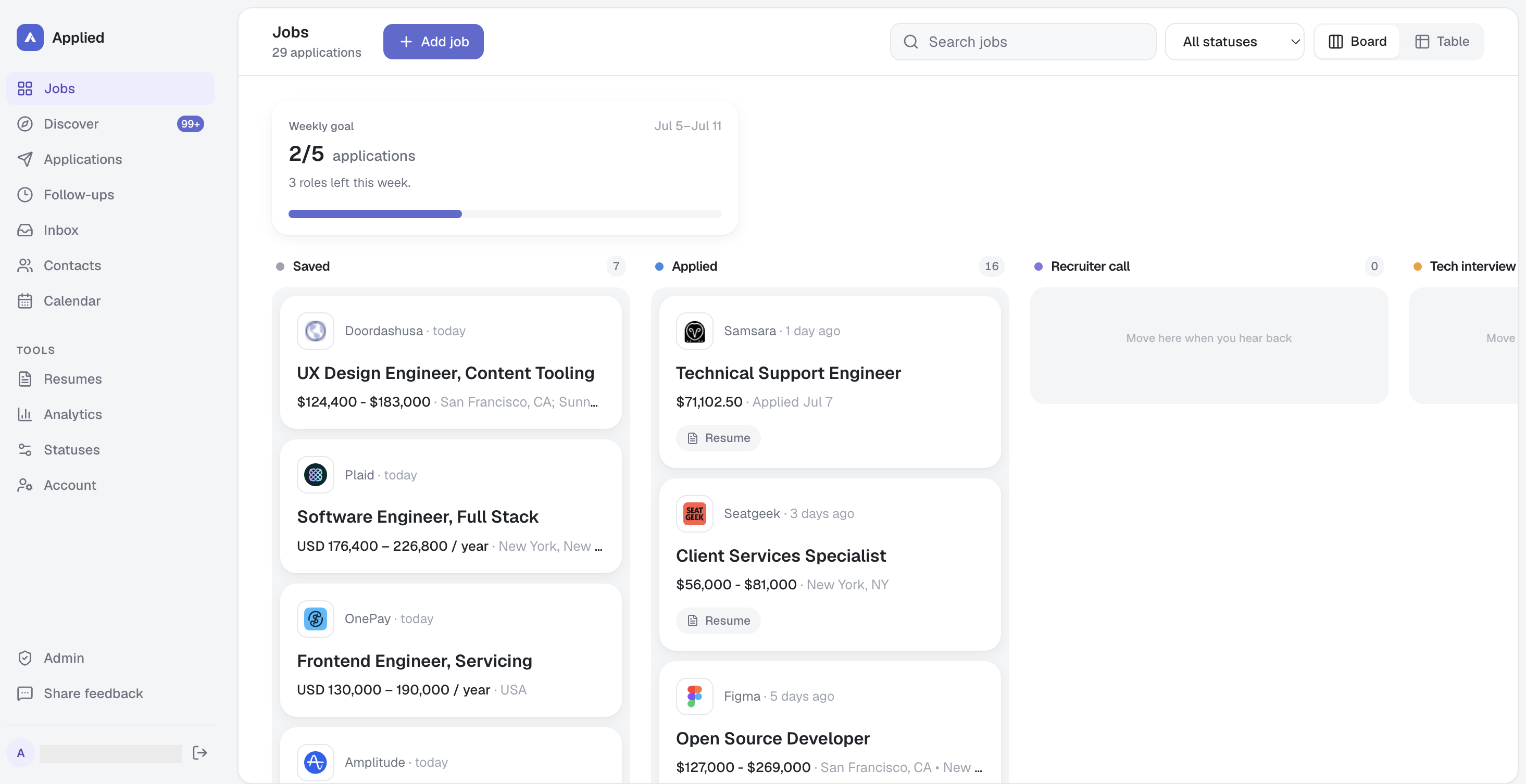
Track every role from first save to final answer — contacts, follow-ups, and captured postings all in one place.
Everything you need
Built for the whole search, not just the apply.
Product Designer
Stripe · San Francisco, CA
Paste a URL. Keep the posting.
Applied pulls the title, company, salary, and location — and saves a screenshot so the details survive after the listing disappears.
Make the pipeline yours.
Rename or recolor any stage, add your own, and flip between board and table views whenever you want.
Resume — Product v4.pdf
Used for 6 roles
Resume — Growth v2.pdf
Used for 3 roles
Resume — General.pdf
Used for 1 role
Remember which resume you used.
Attach the right version to each role — and still know which one you sent, months later.
Follow up with recruiter
Stripe
Send thank-you note
Figma
Check application status
Linear
Next steps stop slipping away.
Set a date and a note. Applied surfaces what needs attention next.
Prep checklist
Walk in prepared.
Company snapshot, role analysis, and a prep checklist — kept with the role.
And everything else
Role page
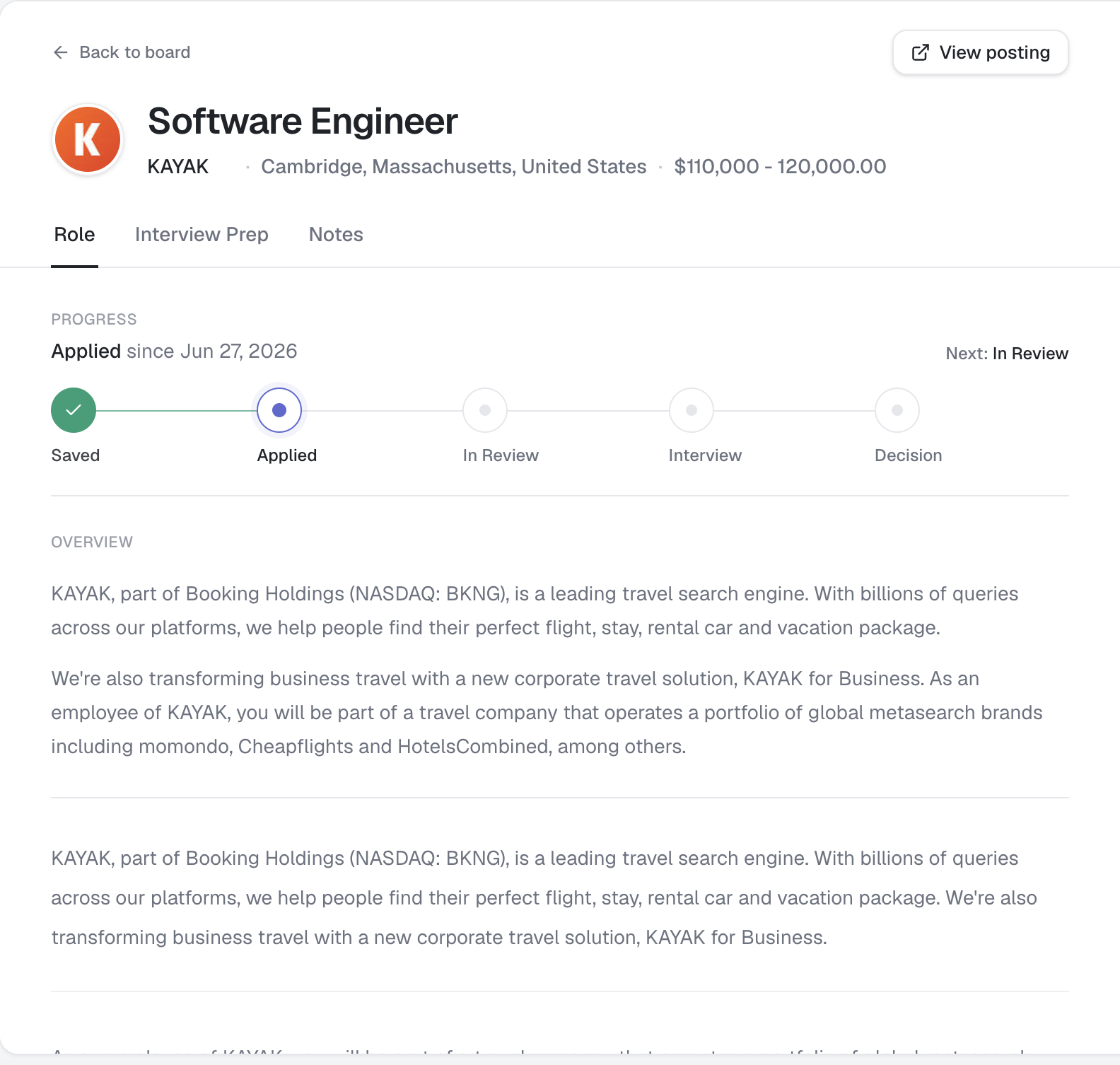
Everything about the role, in one place.
No more digging through tabs, notes, and downloads to remember where a role stands. Open the role and pick up right where you left off.
Captured posting
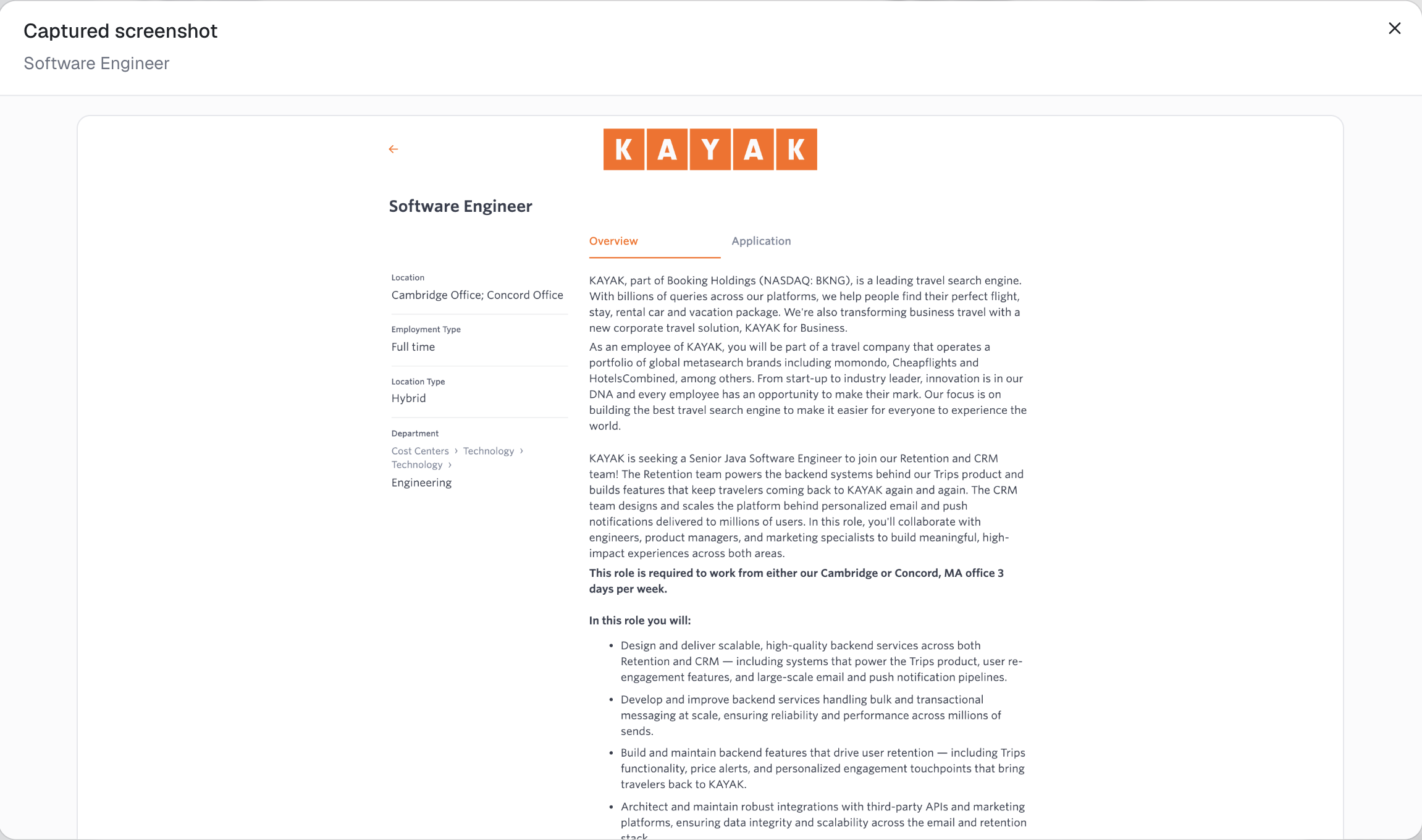
The source stays with the opportunity.
Job posts change, expire, and disappear. Keep a copy of what you actually applied to, so the details are still there when you need them.
Give every role a place to live.
Start with one posting. Applied will keep the details together from there.
Add your first role